


Features
Everything BeeWise Gardener does
Help with your own plants, this week's jobs and what to grow next, all starting from what's in your garden. BeeWise uses AI to answer your questions, identify plants and suggest designs.
Identify & care
Help with every plant you grow
Identify plants, understand what might be wrong, and get practical help looking after them. Advice is grounded in your plants, beds and growing conditions, and it keeps helping when nothing is wrong.
More about identify & care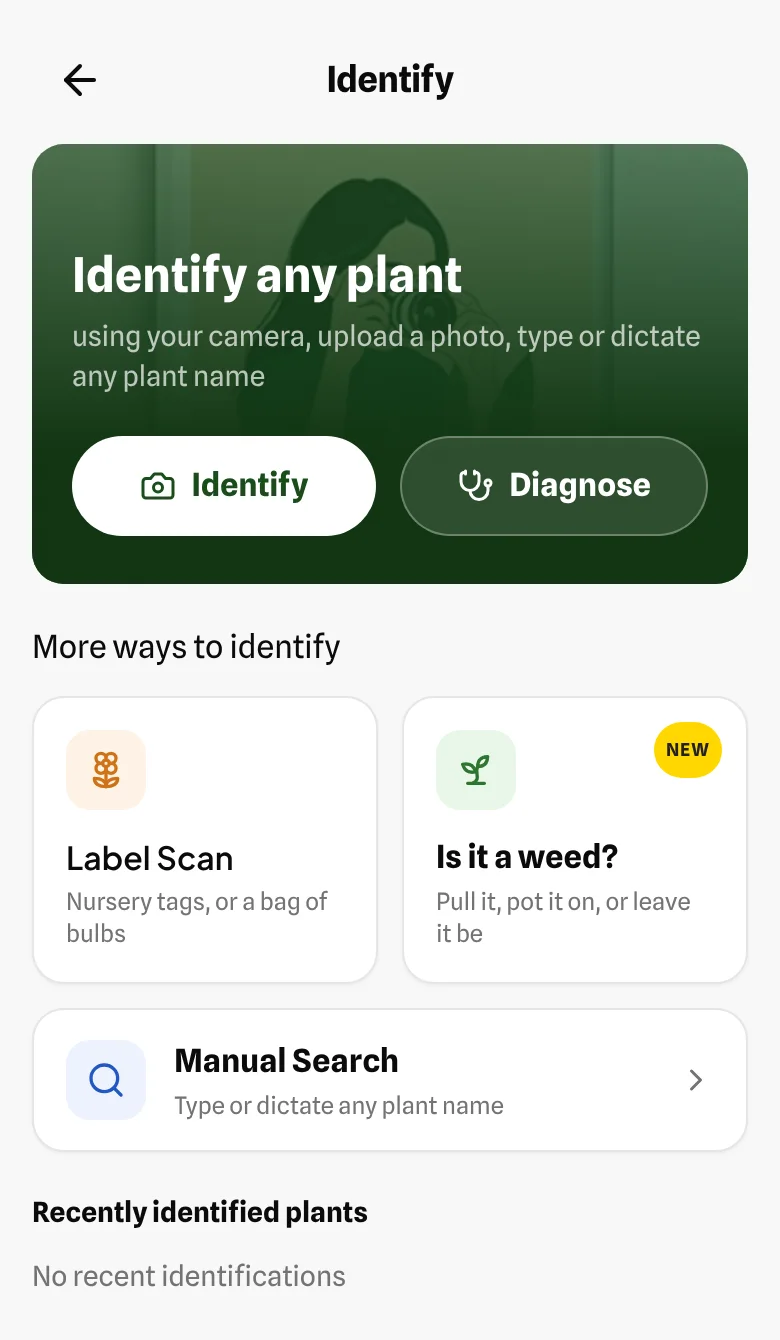
Identify or check a plant
Photograph a plant to name it, or search by name. Then keep it with the bed it grows in, because all later care advice depends on knowing what it is.
Scan a plant label
The quickest way to add what you already grow, and the label gives the exact variety, not just the species. That matters: Clematis 'Nelly Moser' gets a light trim in late winter, while 'Jackmanii' is cut hard back. Scan labels and seed packets before they fade or go missing.
Scan a bag of bulbs
Scan the pack and BeeWise tells you whether now is the time to plant them, how deep they go, and which of your beds drain well enough. Split the pack across beds, and get a reminder to look for shoots.
Ask what's wrong with a plant
Describe the symptoms or share a photo. The answer uses what BeeWise already knows about the plant, the bed it's in and its growing conditions.
Look after a specific plant
Know what each plant needs next, from how it's doing, where it grows and what you've already done for it. See when it looks its best and how big it grows, and ask about its care any time.
Check something you didn't plant
Something came up that you didn't sow? Check whether it's a seedling worth keeping before you weed it out.
Ask Bea, your personal Head Gardener
Anything about your garden: decisions, timing, what's worth doing next. It starts from your beds, plants and past jobs.
Share a bed photo with Bea
Show the space, and advice fits the actual bed. The first photo in chat is free; more are included with Member+.
This week
Know what's worth doing this week
Useful jobs and timely guidance for your garden, your local weather and the UK season, from when to plant to frost protection, with reminders to help you follow through.
More about this weekSee what's worth doing this week
A short list of the jobs that matter now, picked from your specific plants and your local conditions, not a general list of everything that could be done.
Protect plants from frost
When frost is forecast for your location, see which of your plants are at risk and what to do before dark. Mark what you did, and next morning BeeWise checks with you how they came through.
Keep track of your jobs
Tick jobs off, add your own, or skip one and say why. Follow-up checks, such as whether cuttings have rooted, land here too, and BeeWise remembers it all for future advice.
Ask when to plant in your area
Ask whether now is the right moment to sow or plant where you garden. Local frost dates can shift it by weeks either way.
Get reminders for jobs
When life gets busy, a reminder on your phone makes sure you check on that seedling or job in time.
iPhone and Android apps
Plan & picture
Plan and picture a garden you'll love
Find suitable plants, fill gaps, explore combinations and see possibilities in your own garden. Get help finding a better position for a plant you already have, as useful for an established garden as for a new bed.
More about plan & pictureTalk through a planting plan
BeeWise helps place plants, not just name them: spacing, companions and what to put where.
Fill a gap in a bed
There's space in a bed. Ask for plants that suit its light, soil and what the bed is for.
Review companions and spacing
Check that everything in a bed will work well together.
Keep a wishlist of plants you love
Spotted something on a garden visit, at a nursery or on Gardeners' World? Take a photo, even of the TV, and add it to your wishlist. BeeWise shows which of your beds it would be happiest in before you buy. Coming soon: help growing it from seed or cuttings.
See how a bed could look
Get planting and design ideas for your garden, then visualise how your own bed could look, from a photo of it. Illustrations are AI-generated ideas, not a promise of how plants will grow.
Plan planting that looks good together
BeeWise knows each plant's shape, colour and season, so what it suggests looks good with what you already grow, from where a new plant should go to ideas for your borders.
Find the best bed for a plant, or a better one
Find which of your beds suits a new plant best, or get advice on moving a plant that isn't happy where it is.
How it remembers
How BeeWise remembers your garden
These build the record every answer starts from, without a diary to keep.
Map a bed from a photo
Photograph a bed and describe what's in it. BeeWise records the plants, and even the sun and soil if you mention them.
Add light and soil to beds
Measure how sunny a bed is and describe its soil, and generic advice becomes advice for that bed.
Set what a bed is for
Cottage, wildlife, vegetables or low maintenance: suggestions follow what you want from the space.
Add progress photos
Dated photos of plants and beds let you see how things are improving.
See a plant's history
Rate how a plant is doing now and then. Its timeline shows what you did and how it responded.
Measure light with your phone
Not sure if a bed is full sun or partial shade? Measure it with your phone's camera, so advice uses a real reading, not a guess.
iPhone and Android apps
Member+
With BeeWise Member+
100 questions, 30 plant checks and 7 garden designs every month, plus voice, photos in chat after the first, the bed photo timeline and cloud sync.
See plansTalk while you garden
Gloves on or hands muddy? Ask out loud and hear the answer read back, so you get help right when you need it.
Member+
For UK outdoor gardens · iPhone and Android